Zoom F8N Multi Tracker Field Recorder

In a nutshell

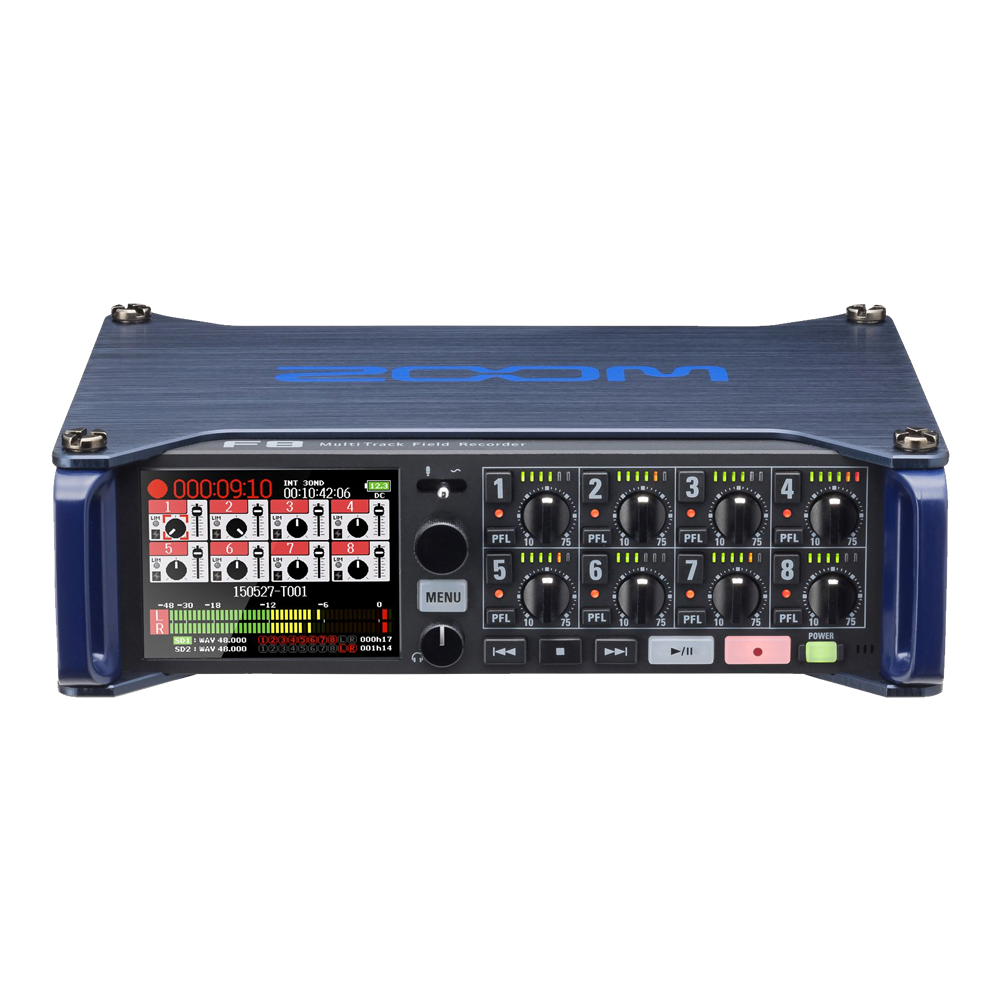
The Zoom F8N is perfect for capturing on-location audio for professional audio/visual applications. The F8N includes eight input channels in total, each with high-end microphone preamps. It is a compact mixer which features timecode input/output making this mixer very useful for minicam applications when you need to sync pictures from mulitple cameras with audio.

Category:

The technical lowdown


Display

The F8n’s 2.4-inch full-color backlit display with monochromatic mode makes field work equally easy in low or direct lighting.

Slate Switch

The F8n has a built-in slate mic for recording comments as well as the ability to output a variable frequency tone signal.

Transport Controls

The control panel features stop, search forward and search backward keys as well as illuminated play/pause and record buttons.

Input Controls

Each input features a built-in preamp with a dedicated gain control knob and a 6-segment LED level meter.

USB Port

A USB port enables firmware updates, file transfer, and allows the F8n to be used as an 8-in/4-out USB audio interface operating at sample rates up to 24-bit / 96kHz.

Inputs

The F8n provides 8 discrete inputs with locking Neutrik XLR/TRS combo connectors, allowing you to plug in any microphone, wireless pack, or line level device. Any input can also be used as a camera return.

SD Card Slots

Record on two SD/SDHC/SDXC cards, up to 1 TB each, simultaneously, allowing you to instantly backup or split recordings.

Headphone Jack

The unit’s 1/4″ headphone jack also comes with dedicated volume control.

MAIN OUTPUTS

The F8n provides four outputs: two Main Outs (on balanced TA3 mini-XLR jacks) for connection to external mixers and processing devices; and two Sub Outs (on a single unbalanced 1/8″ stereo mini-jack) for connection to a camera. The F8n also provides a selectable +4 dBu output.

DC POWER

The F8n can be powered by a 9-18V external DC power supply.

Time Code In/Out

Timecode can be generated internally or transmitted from an external timecode generator.

10-PIN MIC CONNECTOR

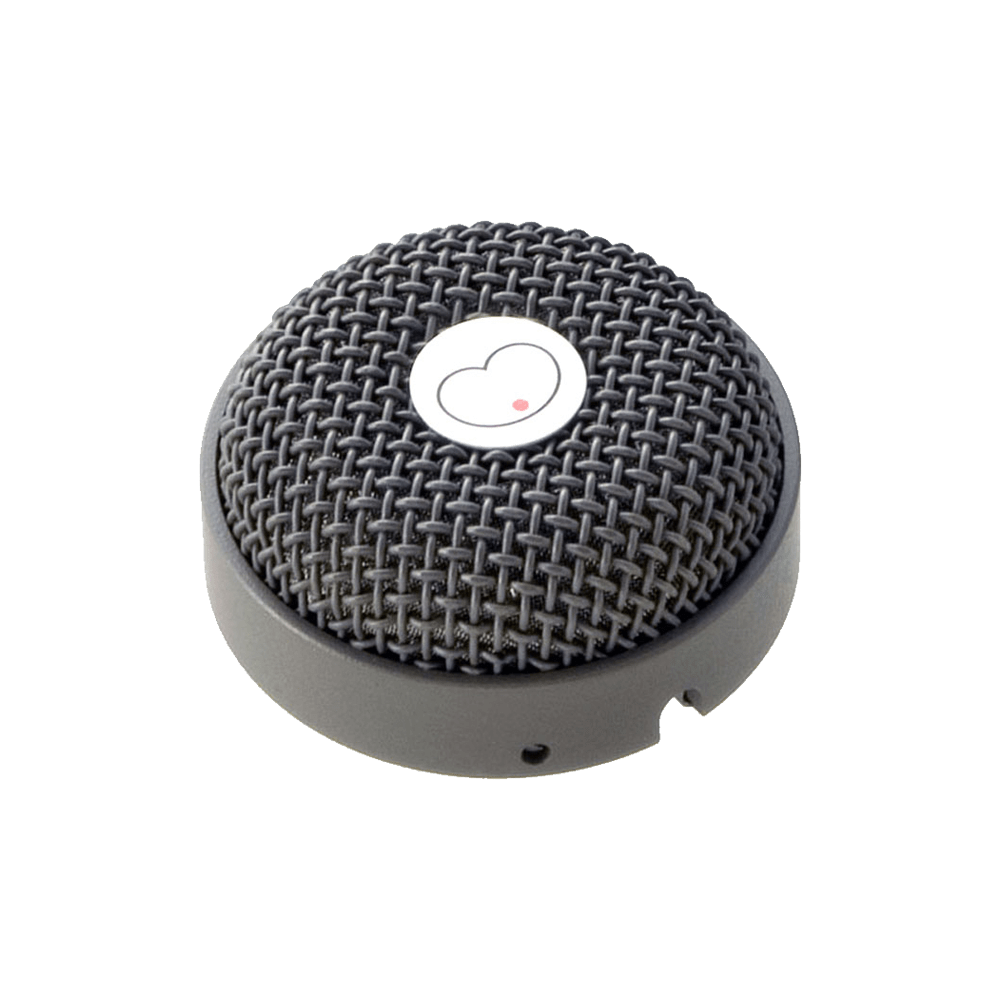
Our proprietary 10-pin connector enables the use of interchangeable Zoom mic capsules, with optional extension cables that allow for remote positioning

Additional information

Dual SD card slots supports

16MB – 2GB SD cards, 4GB – 32GB SDHC cards and 64GB – 1TB SDXC cards

INPUTS 1-8 Connectors

XLR/TRS combo jacks (XLR: 2 hot, TRS: TIP hot)

INPUT SOURCE SET TO MIC

Input gain: +10 – +75 dB
Input impedance: 2 kΩ
Maximum input level: +14 dBu (at 0 dBFS, limiter ON)
Phantom power: +24/+48V 10mA maximum for each channel

INPUT SOURCE SET TO LINE

Input gain: -10 – +55 dB
Input impedance: 2.6 kΩ
Maximum input level: +24 dBu (at 0 dBFS, limiter ON)

Apple Logo Arri Logo Blackmagic Design Logo Canon Logo Chrosziel Logo Dedolight Logo DJI Logo GoPro Logo Hawk-Woods Logo IDX Logo Kinoflo Logo Manfrotto Logo Metabones Logo Panasonic Logo Portabrace Logo Rode Logo Samyang Logo Sandisk Logo Sennheiser Logo Sigma Logo Sachtler Logo Small HD Logo Small Rig Logo Sony Logo Sound Devices Logo Tiffen Logo TV Logic Logo Zeiss Logo

Training Course Booking Request

To book in your training please complete the form below. We'll get back to you at the details provided to confirm if your prefered day is available and answer any questions you may have.

This field is for validation purposes and should be left unchanged.
Name(Required)
Email(Required)
Desired Training Date(Required)

Work Experience Request

To request work experience with us please complete the following form.

This field is for validation purposes and should be left unchanged.

Your Personal Information

Your Name(Required)
Your Email Address(Required)
Address(Required)
When is the best time for us to reach you via telephone?

Current Education Level

What level are you currently studying?(Required)
Hours You Are Available(Required)
Monday
Tuesday
Wednesday
Thursday
Friday
 
Please tell us what hours you are available for work experiance each day of the week. Note our standard office hours are 9:30 to 5

Previous Employment

Your Previous Employers
Employer
Dates (From/To)
Position/Role
Reference Details
 
Please list your contact information for any previous or current employers/work experience placements, if applicable. You may leave this section blank if you’ve never had prior work experience placements or employment.

More About You

Please use this section to tell us a little about yourself, your cover note in effect. Why are you interested in undertaking work experience with us and what you hope to get out of it.
Please use this section to tell us a little more about the technical areas you are currently studying and what profession you're looking to go into once you finish your studies.
Accepted file types: pdf, doc, docx, Max. file size: 25 MB.
Please upload your a recent copy of your CV in .pdf, .doc or .docx format

Availability

If you are looking for a specific date for your work experience please tell us here. If you have a flexibility and can offer us range of potential dates, please select the earliest and latest that you would be available.
From
To

Acknowledgments

Freelancers Talent Pool

To request inclusion in our freelancer talent pool please complete the following form.

This field is for validation purposes and should be left unchanged.

Your Personal Information

Your Name
Your Email Address
Address

Skillset

What role skills/roles would you like to be considered for?
Let us know all the apply for you, or if your skillset isn't listed, please use the about you section below to expand upon your skillset.

More About You

Please use this section to tell us a little about yourself, your cover note in effect. Why are you interested in working alongside us, where you are based, any equipment you own or are familiar with etc.
Accepted file types: pdf, doc, docx, Max. file size: 25 MB.
Please upload your a recent copy of your CV in .pdf, .doc or .docx format

Acknowledgments